Google (Gemini)
Google’s Gemini models offer large context windows and multimodal capabilities for security analysis.
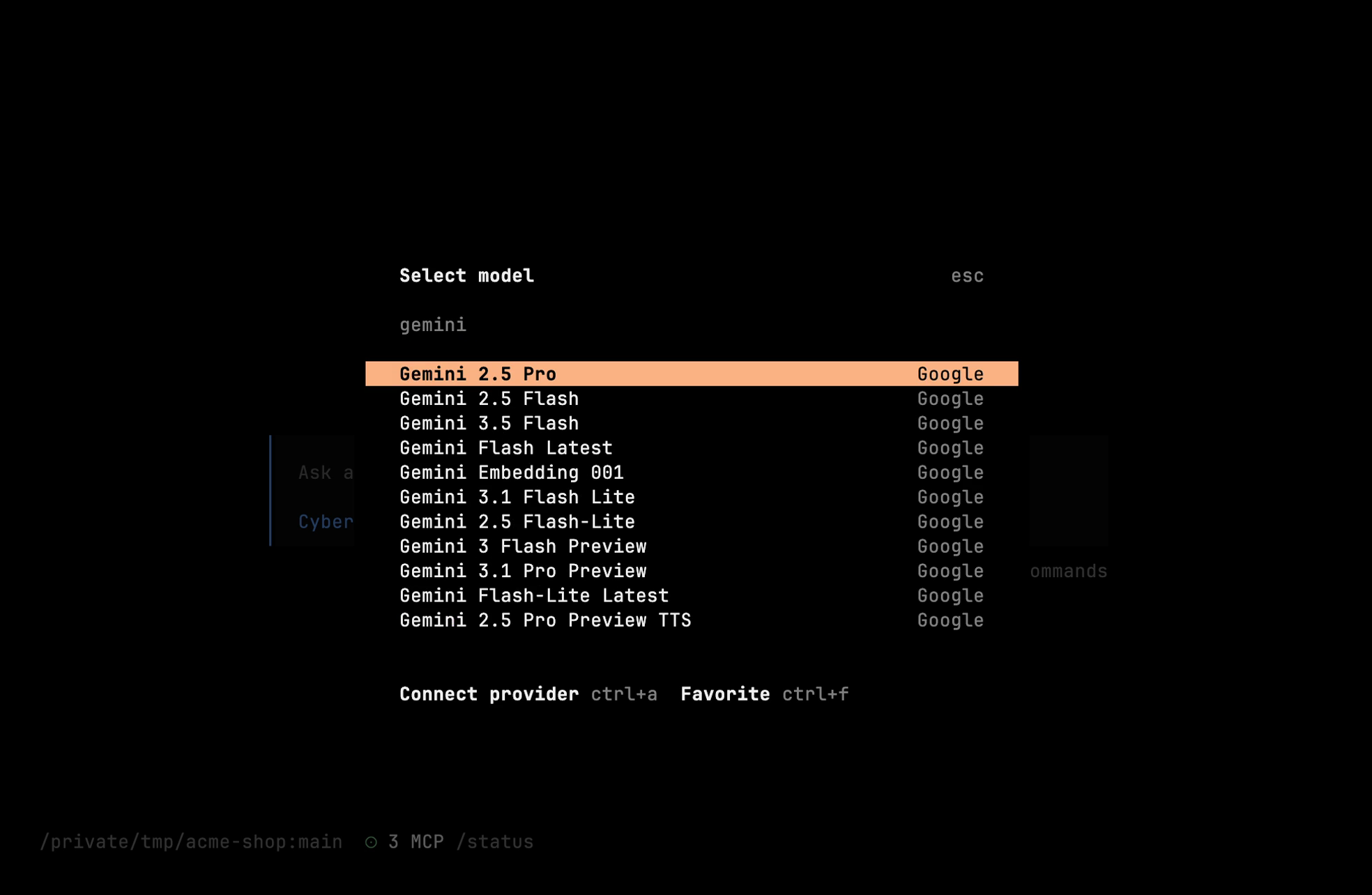
Available Models
Cyberstrike pulls its model catalog live from models.dev, so the exact list tracks what Google currently offers. Common picks:
| Model | Context | Best for |
|---|---|---|
google/gemini-2.5-pro | 1M | Complex reasoning, large codebases |
google/gemini-2.5-flash | 1M | Fast analysis (balanced default) |
google/gemini-2.5-flash-lite | 1M | Quick tasks, high volume |
Tip
Newer Gemini 3.x releases (gemini-3-pro-preview, gemini-3.5-flash, gemini-3.1-pro-preview) appear automatically as models.dev updates. Run /models in the TUI — or cyberstrike models — for the full current list.
Authentication
API Key Setup
- Get your API key from ai.google.dev
- Run authentication:
cyberstrike auth login# Select: Google# Enter your API keyEnvironment Variable
export GOOGLE_GENERATIVE_AI_API_KEY="AI..."Configuration File
{ "provider": { "google": { "options": { "apiKey": "{env:GOOGLE_GENERATIVE_AI_API_KEY}" } } }}Model Configuration
Set Default Model
{ "model": "google/gemini-2.5-flash"}Command Line Override
cyberstrike --model google/gemini-2.5-proLarge Context Advantage
Gemini’s 1M-2M context window enables:
- Analyzing entire codebases at once
- Processing multiple files simultaneously
- Long security assessment sessions
- Comprehensive log analysis
Example: Full Codebase Review
> Analyze the entire src/ directory for security vulnerabilitiesThe model can process hundreds of files in a single request.
Multimodal Capabilities
Gemini supports image analysis:
> Analyze this screenshot for security issuesUseful for:
- Analyzing security tool output images
- Processing network diagrams
- Reviewing UI for security flaws
Thinking Mode
The Gemini 2.5 models support reasoning (“thinking”) for complex analysis:
cyberstrike --model google/gemini-2.5-proBest for:
- Complex vulnerability chains
- Multi-step attack planning
- Deep code analysis
Google Vertex AI
For enterprise deployments:
Setup
# Authenticate with Google Cloudgcloud auth application-default login
# Set projectgcloud config set project your-project-id
Configuration
{ "provider": { "google-vertex": { "options": { "project": "your-project-id", "location": "us-central1" } } }}Available Regions
| Region | Location |
|---|---|
| us-central1 | Iowa |
| us-east4 | Virginia |
| europe-west4 | Netherlands |
| asia-northeast1 | Tokyo |
Rate Limits
Google AI Studio limits:
| Tier | RPM | TPM |
|---|---|---|
| Free | 15 | 1,000,000 |
| Pay-as-you-go | 360 | 4,000,000 |
Handling Limits
{ "provider": { "google": { "options": { "maxRetries": 3, "retryDelay": 1000 } } }}Safety Settings
Configure content filtering:
{ "provider": { "google": { "options": { "safetySettings": [ { "category": "HARM_CATEGORY_DANGEROUS_CONTENT", "threshold": "BLOCK_NONE" } ] } } }}Caution
Adjust safety settings carefully. Some security testing content may trigger filters.
Best Practices
Model Selection
| Task | Recommended Model |
|---|---|
| Quick scans | gemini-2.5-flash |
| Large codebase | gemini-2.5-pro |
| Complex analysis | gemini-2.5-pro |
| High volume | gemini-2.5-flash-lite |
Leveraging Large Context
- Include full files instead of snippets
- Provide complete configuration files
- Include related test files
- Add documentation for context
Cost Optimization
- Use Flash models for most tasks
- Leverage the free tier
- Use context efficiently
- Monitor usage in Google Cloud Console
Troubleshooting
Invalid API Key
Error: API key not validVerify:
- Key is from ai.google.dev
- API is enabled
- No extra whitespace
Quota Exceeded
Error: Quota exceededSolutions:
- Wait for quota reset
- Enable billing
- Request quota increase
Region Not Available
Error: Model not available in regionTry different regions or use Google AI Studio instead of Vertex.
Related Documentation
- Providers Overview - All providers
- AWS Bedrock - Alternative enterprise option
- Configuration - Full options